
QBO to CSV Converter Online: Convert QuickBooks Bank Files to Excel-Ready CSV
Convert QBO, OFX, and QFX bank downloads to clean CSV in your browser. Free, private, Excel-ready dates and balances, no QuickBooks subscription required to open the file.

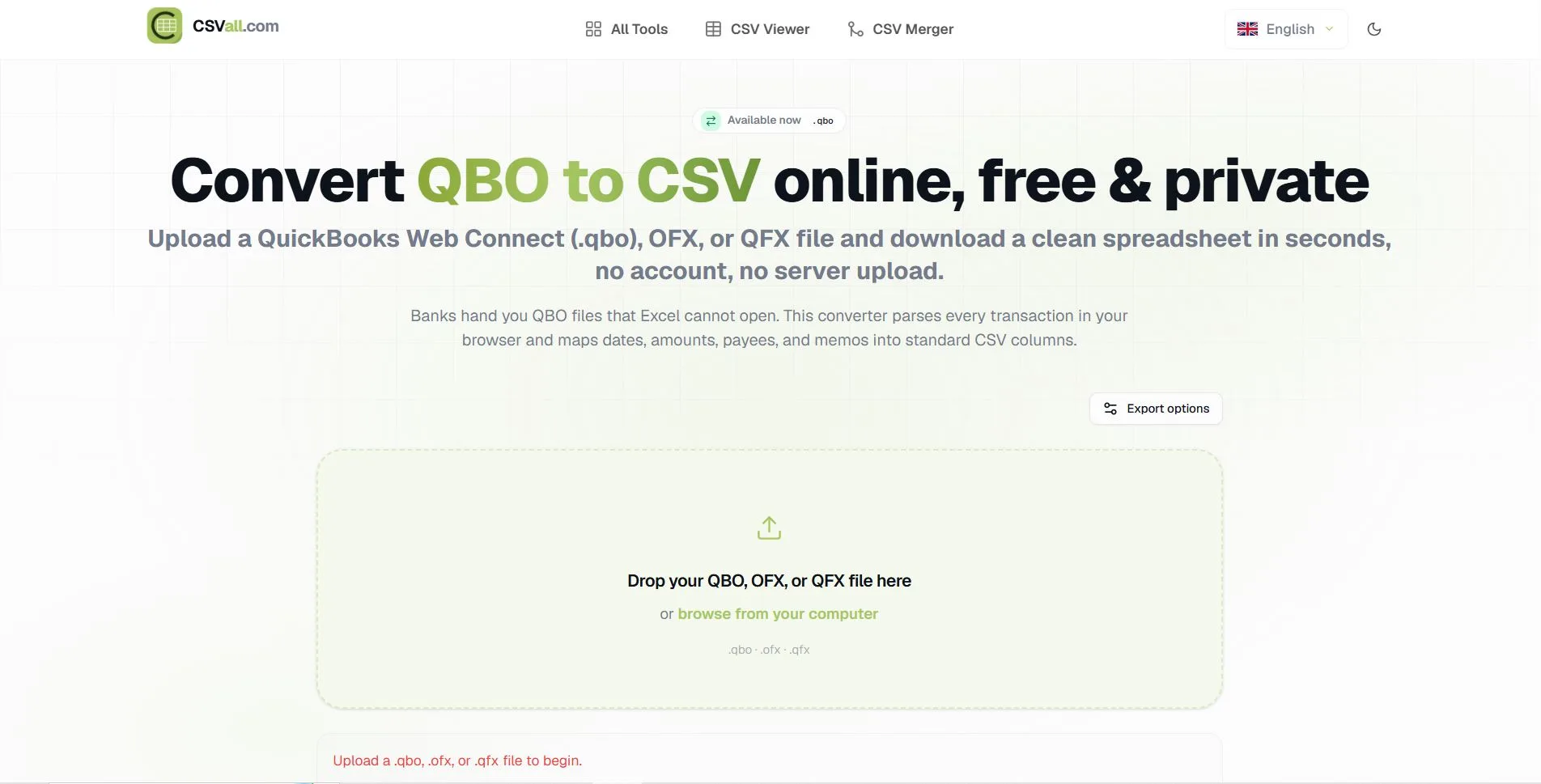
Quick link: convert a bank file now with the free QBO to CSV converter. This guide lives at /blog/qbo-to-csv-converter-online so the tool URL and article URL stay separate.
You downloaded a bank statement as a QBO file because QuickBooks asked for it. You double-click the file and Excel either refuses to open it or shows a wall of tags that look nothing like a spreadsheet. That is normal. A QBO file is built for accounting software, not for sorting transactions in a grid.
A qbo to csv converter online fixes that gap. You upload the file in your browser, get rows with dates, amounts, payees, and balances, and download a CSV you can open in Excel or Google Sheets. No QuickBooks login required for the conversion step, and your file never leaves your device.
This guide covers what a QBO file is, why people convert qbo to csv, how the CSVall QBO to CSV tool works, and the small settings that keep Excel from mangling dates and amounts.
What Is a QBO File?
QBO stands for QuickBooks Online bank format, though QuickBooks Desktop imports the same Web Connect downloads. Banks offer it as an export option labeled QuickBooks, QBO, or Web Connect. Under the hood the file is OFX-based SGML: structured tags for accounts and transactions, not comma-separated rows.
That structure is perfect when QuickBooks pulls the file in automatically. It is awkward when you need to:
- Match transactions against an invoice list in Excel
- Build a pivot table by payee for a month-end review
- Send three months of activity to a tax preparer who does not use QuickBooks
- Import history into Xero, Wave, or FreshBooks after switching platforms
QuickBooks qbo to csv conversion turns those tagged transactions into plain columns your spreadsheet already understands.
Why Convert QBO to CSV?
Most searches for qbo file to csv start mid-task. Someone already has the download from the bank and needs a table today.
Common reasons include:
- Reconciling a checking account with VLOOKUP or pivot tables instead of inside QuickBooks
- Checking whether a specific charge posted before calling the bank
- Combining two account exports into one workbook for a loan application
- Migrating books and needing a CSV import template for a new system
- Sharing activity with a partner or bookkeeper who works in Sheets, not QuickBooks
CSV is the handoff format. Once the bank qbo export to excel step is done, you sort, filter, chart, and email like any other spreadsheet.
The Fastest Way to Convert QBO to CSV Online
The workflow on CSVall is short:
- Open the QBO to CSV converter.
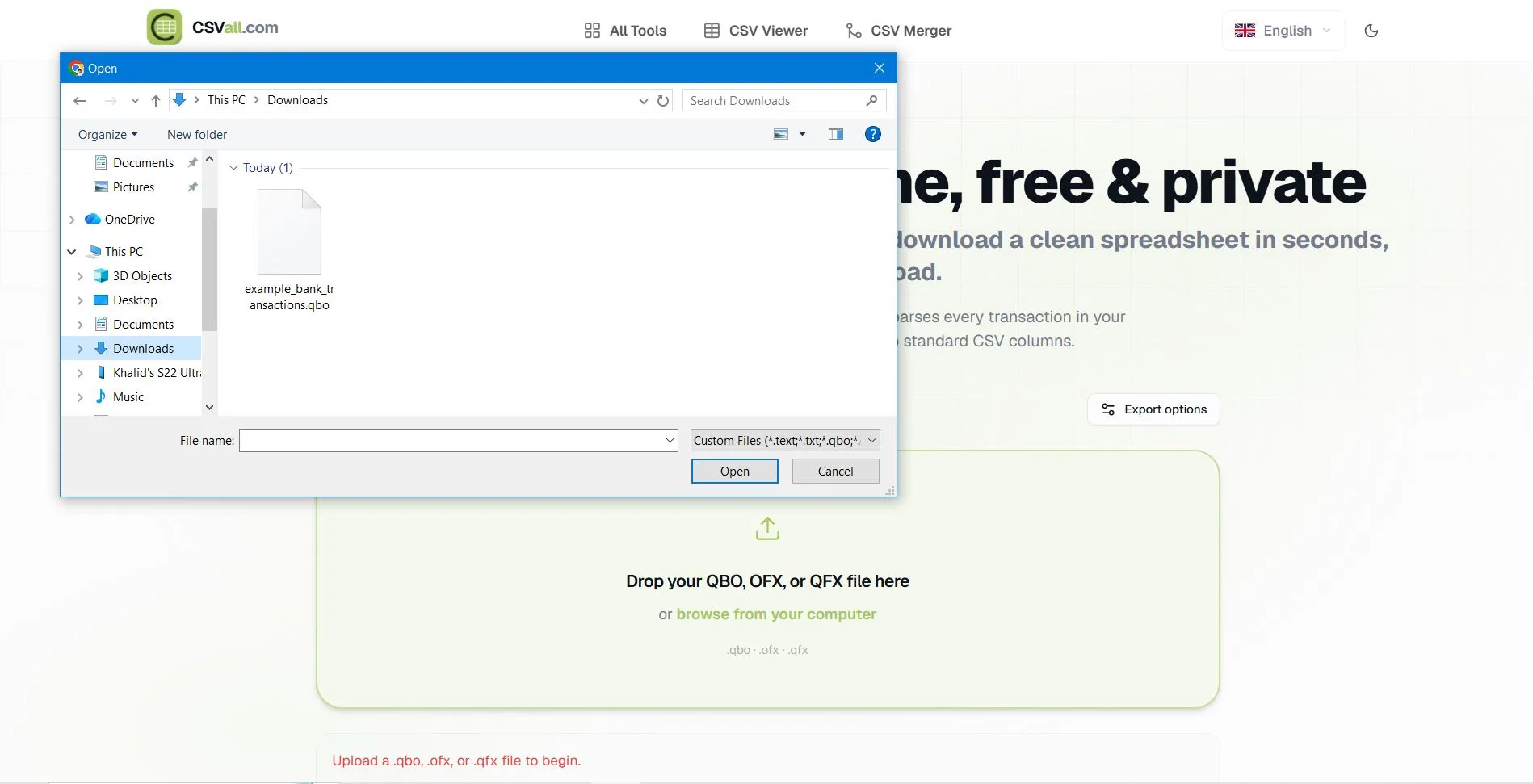
- Drag your
.qbo,.ofx, or.qfxfile onto the upload area, or click browse. - Click convert and scan the preview table.
- Open options if dates, signs, or encoding need adjustment.
- Click Download CSV and open the file in Excel or Google Sheets.
No account, no desktop install, no paste-from-text-editor routine.
What Data Ends Up in the CSV?
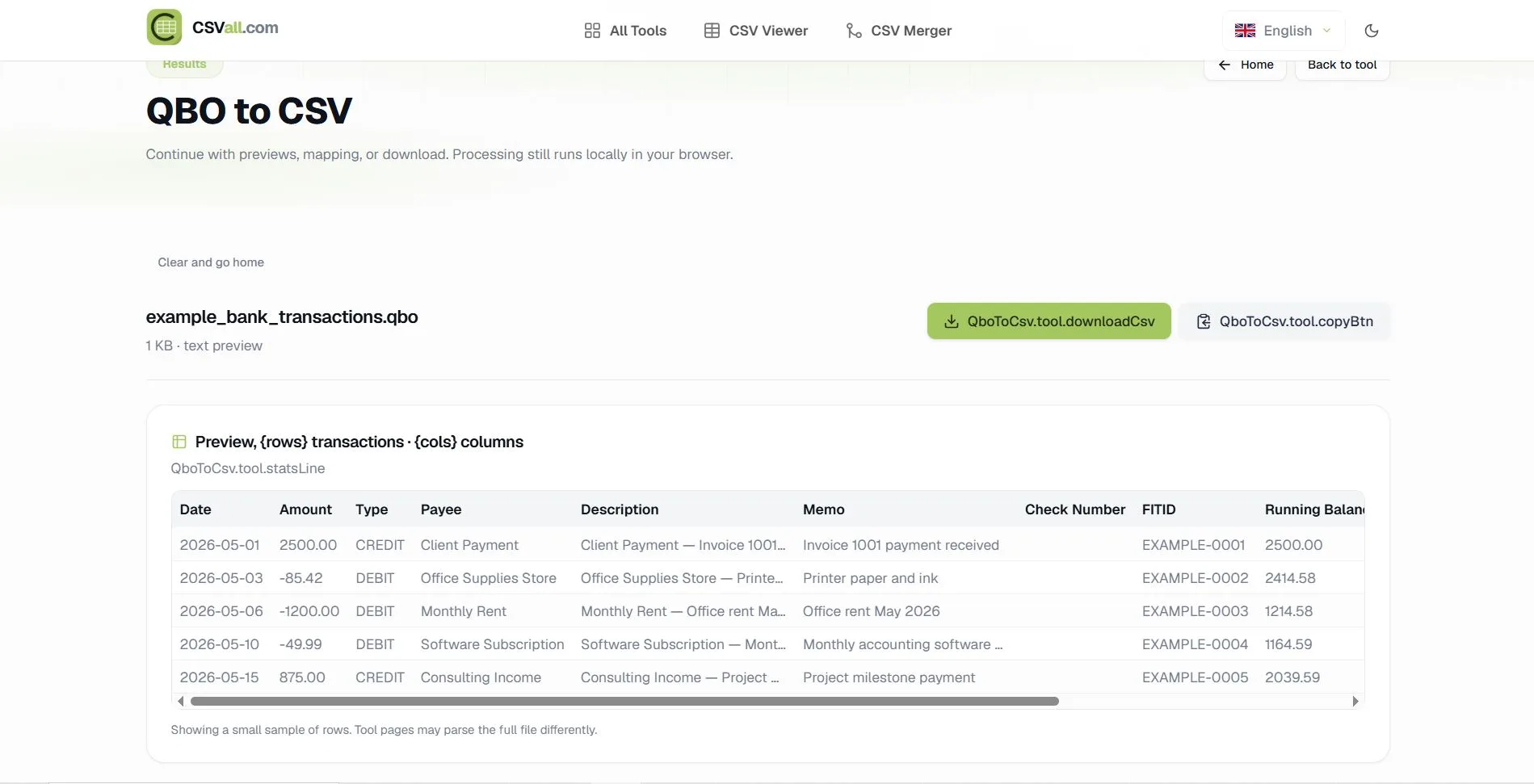
A standard Web Connect file carries structured transaction blocks. CSVall maps them into spreadsheet columns such as:
- Transaction date and posting date, reformatted from
YYYYMMDDin the source file - Amount, with debits negative and credits positive unless you flip the sign in options
- Transaction type when the bank sends it (debit, credit, check, payment, transfer)
- Description, often a combined payee and memo for readable narrative
- Payee and memo as separate columns when the bank splits them
- Check number on check lines
- Running balance when the statement includes it
- FITID or similar stable IDs when you need to dedupe rows across exports
If the file includes bank and account tags, optional account name, account ID, account type, and currency columns can appear on each row. Strip or mask account numbers before sharing the CSV outside your team.
OFX and QFX on the Same Converter Page
QBO, OFX, and QFX share the same transaction skeleton. Quicken uses QFX; many banks list OFX when QuickBooks is not an option. You do not need a separate workflow for each extension on CSVall.
If your institution only offers OFX, upload it here. For a dedicated landing page with the same engine, see OFX to CSV and QFX to CSV. The output columns match what you get from a .qbo upload.
Download and Open the CSV in Excel
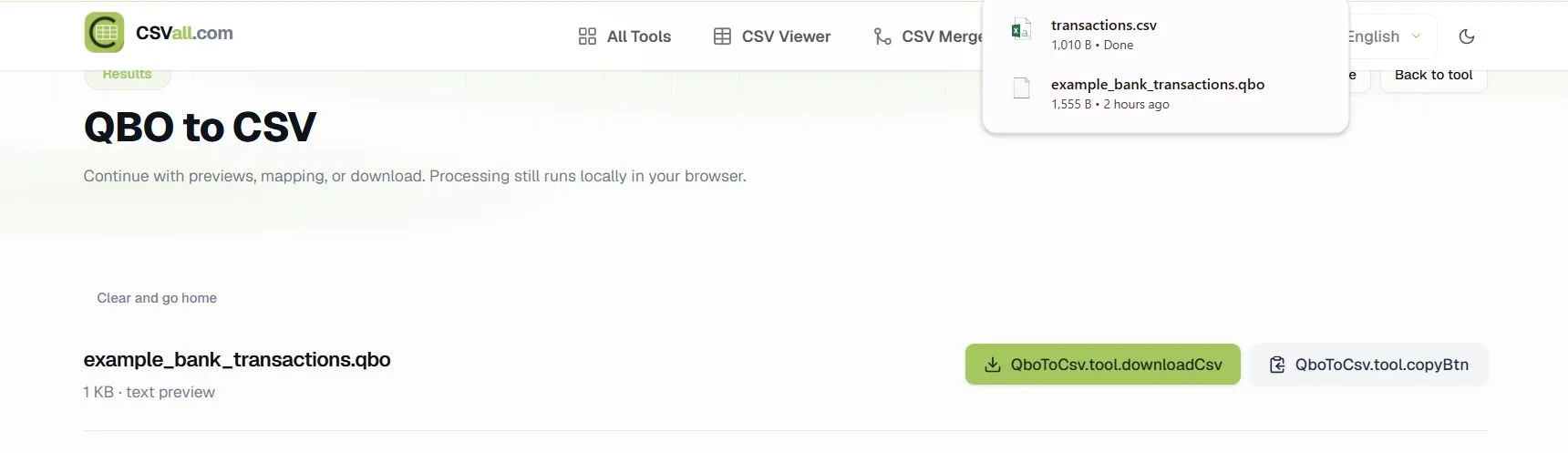
After conversion, click Download CSV. The file name defaults to something sensible like transactions.csv so it is easy to spot in your Downloads folder.
To open qbo file in excel without fighting encoding:
- Enable UTF-8 BOM in options when descriptions include accented letters or symbols and you are on Windows Excel.
- Pick ISO, US, or EU date formatting so Excel reads dates as dates, not as eight-digit numbers.
- Use CRLF line endings if an older Windows tool expects Windows-style breaks.
If amounts look backward compared to how your bank reports debits, turn on Flip amount sign in options, or multiply the column once inside the sheet.
Google Sheets usually opens the CSV cleanly through File → Import. For a quick sanity check without installing anything, open the download in the CSV Viewer.
Your Bank File Stays on Your Computer
Bank exports are sensitive. CSVall reads and converts the file inside your browser tab. Nothing is uploaded to CSVall servers, stored in a database, or logged for analytics on transaction text.
Close the tab when you finish if you are on a shared computer. That local-only model is the same privacy story as the free CSV viewer: financial data should not need a cloud upload just to see rows.
How to Download a QBO File From Your Bank
Before you convert, you need the right export from online banking:
- Log in and open the account statements or transaction history screen.
- Find Download, Export, or Export transactions.
- Choose the date range you need (one month or a quarter is easier to verify than five years at once).
- Select QuickBooks, QBO, or Web Connect when offered. If only OFX appears, download OFX and upload it here.
- Save the
.qbofile, then open CSVall QBO to CSV and upload it.
A practical tip: three-month chunks convert faster and are simpler to reconcile than a single giant annual file. If you end up with several CSVs, use Merge CSVs to combine them before analysis.
Who Uses a QBO to CSV Converter?
Bookkeepers export client activity for Excel reconciliation when QuickBooks categories are still messy and the priority is matching dollars to the statement.
Small business owners want a simple register they can filter by payee without learning another QuickBooks report screen.
Teams switching software often need CSV history for Xero, Wave, or Zoho Books imports after the subscription changes.
Tax and advisory workflows sometimes need raw transaction lists in a format preparers can sort and annotate without a QuickBooks seat.
If any of those sound familiar, a free qbo to csv converter online beats opening the file in Notepad and guessing where one transaction ends.
Common Problems When Converting QBO to CSV
Dates show up as numbers in Excel.
QBO stores dates as YYYYMMDD. CSVall reformats them in the options panel. If Excel still displays 20250315, format the column as a date after opening, and confirm you picked the right regional date style before download.
Debits and credits look reversed.
Banks disagree on sign conventions. Use flip amount sign in options, or multiply the amount column once in the sheet and spot-check a known payment.
Garbled characters in descriptions.
Turn on UTF-8 BOM for Windows Excel. Rare exports include odd encoding; re-download from the bank if a whole column looks like nonsense.
The file seems empty.
Some banks ship a header with zero transactions when the date range has no activity. Widen the range and export again.
Excel will not open the original QBO at all.
That is expected. Convert first, then open the CSV.
CSVall Compared to Other Ways to Get CSV From QBO
| Method | Cost | Speed | Privacy | Skill needed |
|---|---|---|---|---|
| CSVall in the browser | Free | Seconds | File stays local | Upload and download |
| Editing SGML in a text editor | Free | Slow | Local | High; easy to break tags |
| Paid desktop converters | Often paid yearly | Fast | Varies by vendor | Install and trust vendor |
| Export from inside QuickBooks | Needs active subscription | Fast | Data in Intuit cloud | QuickBooks login and setup |
For a one-off statement check or a recurring monthly download, the browser tool keeps the steps and the data path simple.
Related CSVall Tools
After you have CSV rows, you might still need other formats:
- CSV Viewer to inspect the download without Excel
- OFX to CSV and QFX to CSV for the same engine with format-specific landing pages
- QIF to CSV for older Quicken exports
- MT940 to CSV for SWIFT statement text some EU banks provide
- Merge CSVs when you converted quarterly files separately
- Bank statement to CSV when the source is PDF or image instead of Web Connect
- Browse everything from the tools page
Final Takeaway
A QBO file is the right format for QuickBooks import and the wrong format for spreadsheet work. Converting qbo to csv gives you normal columns, real dates, and amounts you can sort. CSVall does that in the browser, keeps the file on your machine, and hands you a CSV Excel can open on the first try when you set BOM and date options to match your setup.
Upload your bank download, check the preview, download the CSV, and move on with reconciliation or import. That is the whole job.
Published for informational purposes. Tool features verified as of 2026. Visit csvall.com for the latest updates.
Frequently asked questions
FAQ: QBO to CSV
Short answers about browser-based CSV workflows on CSVall.